GEDCOM files explained
GEDCOM is the common file format for moving a family tree between genealogy programs and websites. This guide explains what moves across reliably, what does not, and how to share a file without exposing living relatives.
By the Family Tree Studio team · Published · Updated · Checked against the editor it describes
What a GEDCOM file is
A .ged file is plain text. Each line has a level number, a tag and a value: 0 @I1@ INDI starts a person, 1 NAME Arthur /Hale/ gives their name with the surname between slashes, and 1 BIRT followed by 2 DATE 1921 records a birth. Families are separate FAM records that point to the partners and children. Because the format is text, any program can read it, and you can open it in a text editor to check what it contains.
Versions: 5.5.1 and 7.0
GEDCOM 5.5.1 (1999) is what most programs still read and write. GEDCOM 7.0 (2021) is the current specification: always UTF-8, clearer rules for dates written as phrases, and an explicit way to mark a child’s relationship to each parent. If you are unsure which the receiving program supports, export 5.5.1.
What transfers well, and what does not
- Reliable: names, sex, birth and death dates and places, marriages and divorces, parent–child links, adoptions marked with a pedigree type, notes and sources.
- Partly: other life events and custom facts. Programs name them differently, so they may arrive as generic “events”.
- Photos: not transferred. A GEDCOM file only names the picture files; the images themselves stay behind. Keep photos with a full backup of the program you use.
- Layout: card positions, colours and chart styles are not part of GEDCOM.
- Step-parents: GEDCOM has no step-parent link. The partnership with the child’s parent is kept instead.
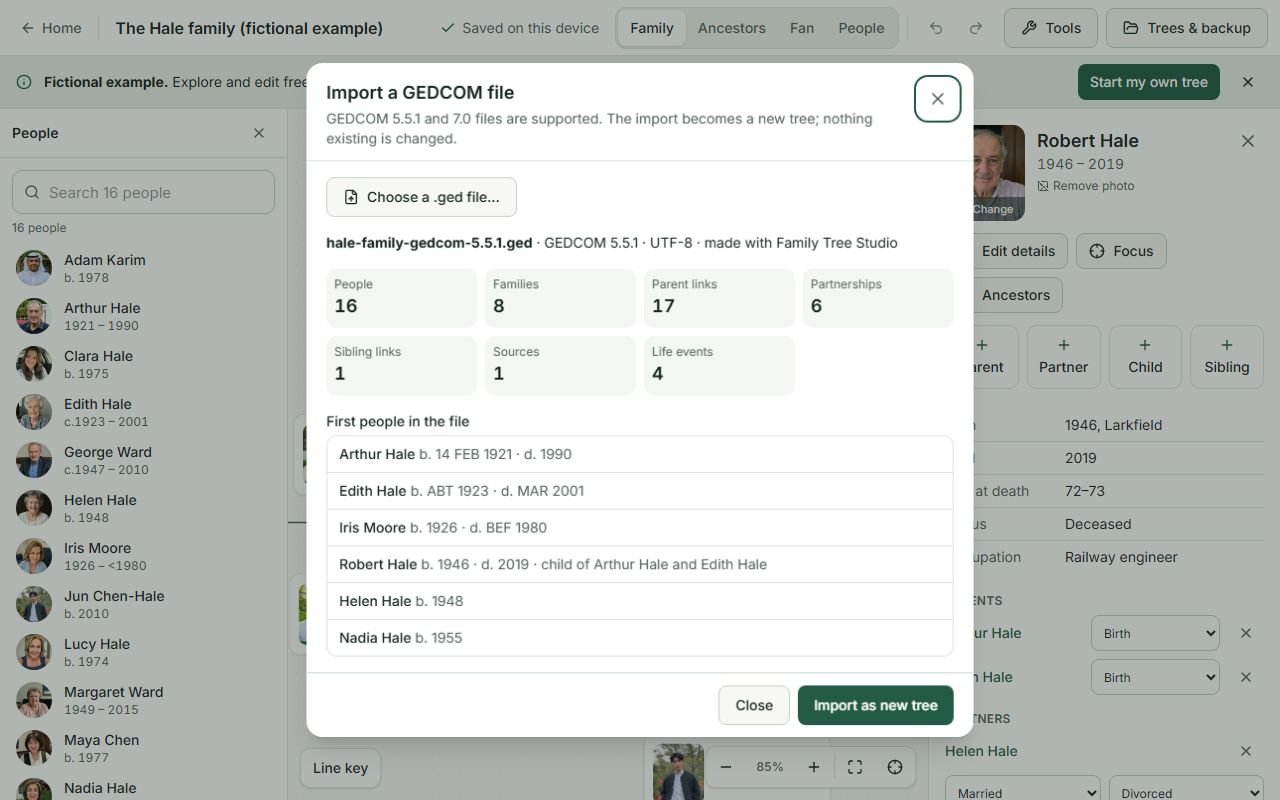
This website lists anything it could not carry over before you download an export, and shows what it could not read before you import.
Character sets and non-English names
Use UTF-8 wherever a program offers a choice. UTF-8 carries every script, including Devanagari and Arabic. Old files in ANSEL or Windows “ANSI” encodings often turn accented letters into wrong characters when read by a newer program. This website reads ANSI files with a warning to check accented names, and refuses ANSEL files that contain accented letters rather than silently corrupting them; re-export those as UTF-8.
Before you share a GEDCOM file
A GEDCOM file usually contains everyone in your tree, including living people’s full names, birth dates and places, which are common security questions. Before sending a file to a relative or uploading it to a website:
- Export with Hide living people switched on. Their names become “Living” and their dates, places, notes and events are left out.
- Remember that custom tags and notes can contain anything: addresses, phone numbers, medical details. Read through notes before sharing.
- Files from other programs may contain records this website does not import. They are kept privately with the imported tree so nothing is lost, but are never included in share links.
Using GEDCOM with this website
- To look inside a file without changing anything, use the GEDCOM viewer. The file is read in your browser and not uploaded.
- To edit it, open the editor and choose Tools → Import GEDCOM, or use “Open in the editor” in the viewer.
- To move your tree elsewhere, choose Tools → Export GEDCOM and pick 5.5.1 or 7.0. To keep everything including photos, use the complete backup (.ftree) instead; it is this website’s own format.
Frequently asked questions
What is a GEDCOM file used for?
Moving a family tree from one genealogy program or website to another. It carries names, dates, places, relationships, notes and sources in a standard plain-text format.
Which GEDCOM version should I export?
GEDCOM 5.5.1 if you are not sure: almost every program reads it. Choose 7.0 when the receiving program supports it.
Does a GEDCOM file include photos?
No. It only names the picture files. Keep photos with a complete backup of the program you use.
How do I remove living people from a GEDCOM file?
Export with “Hide living people” switched on. Their names become “Living” and their dates, places, notes and events are left out of the file.
Can I open a GEDCOM file without installing software?
Yes. The free GEDCOM viewer on this website reads the file in your browser without uploading it.